
Record Video Conferences in Real Time
Overview
The Conference Recorder is a desktop application designed to capture real-time video from video conferencing platforms, enabling users to save and revisit important virtual interactions. Whether used for professional meetings, educational sessions, or personal calls with family, the software offers a straightforward solution for preserving visual content. Its core purpose is to eliminate the risk of missing key moments during live video calls by providing a reliable recording mechanism. The tool is especially beneficial for individuals who rely heavily on video conferencing as part of their daily routine, including remote workers, educators, and frequent collaborators.
Developed by Jason A. Bilbrey, the software was released on December 13, 2005, and has been available as a free tool since its inception. While no additional details about the developer’s background are provided, the product’s longevity suggests consistent functionality and user trust. The application operates as a standalone utility, integrating with existing conferencing software without requiring platform changes. This makes it ideal for users seeking a lightweight, non-intrusive way to record meetings without switching tools or altering workflows.
Key Features & Capabilities
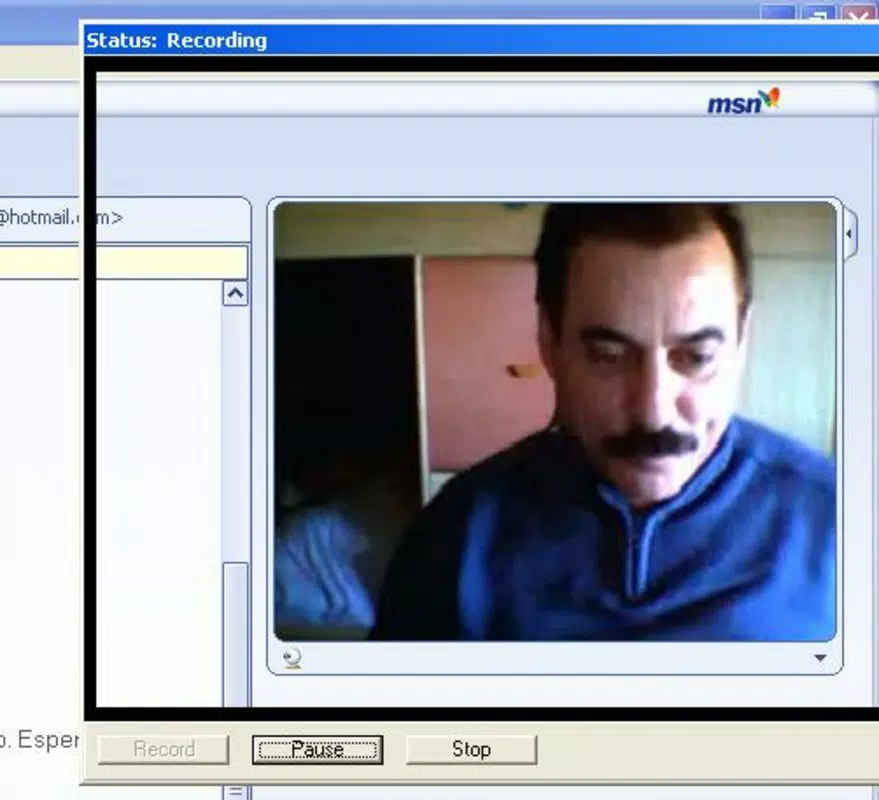
- Real-Time Video Recording: The software captures live video streams directly from active video conferencing sessions, ensuring that every visual interaction is preserved as it happens. This feature is essential for users who need to review meeting content, share recordings with absent participants, or document important discussions.
- Compatibility with Multiple Conferencing Platforms: The Conference Recorder is designed to work with any existing video conferencing application, allowing users to record without requiring specific software or account setup. This versatility enhances accessibility and reduces the learning curve.
- AVI Format Output with Compression: Recorded sessions are saved in the AVI format, a widely supported standard for video files. The software applies efficient compression to reduce file size while maintaining high visual quality, making sharing and storage more manageable.
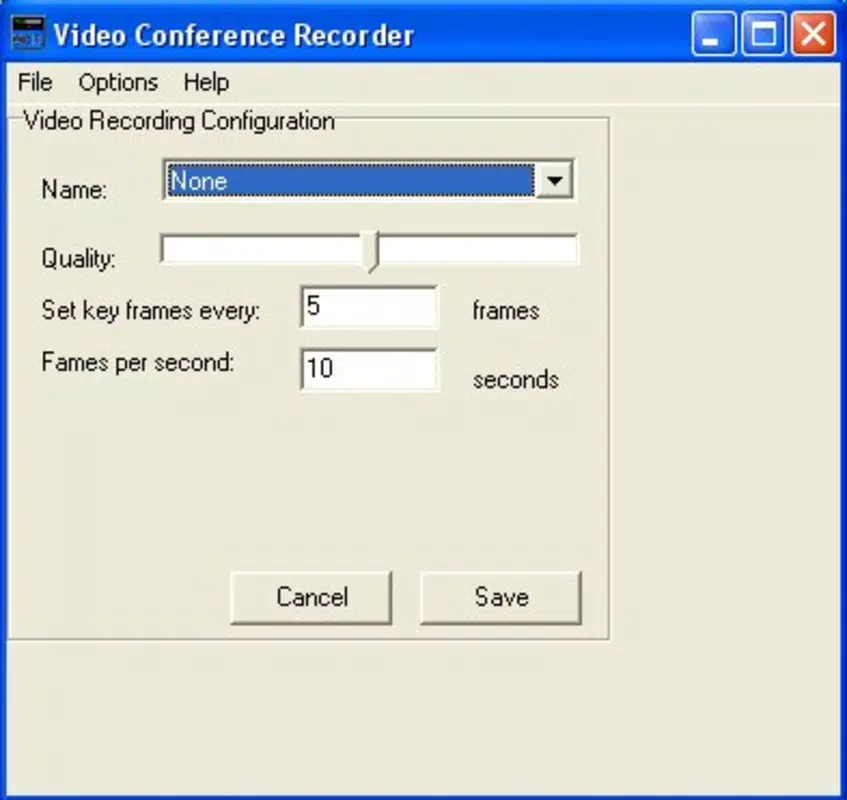
- Adjustable Recording Settings: Users can customize parameters such as video quality, frames per second, and encoder options. This level of control allows for optimization based on device performance and network conditions, supporting both high-fidelity recordings and lightweight capture.
- Designed for Frequent Video Conference Users: The software is tailored for individuals who regularly participate in virtual meetings, offering a consistent and reliable method to archive interactions for future reference.
User Interface, Workflow & Performance
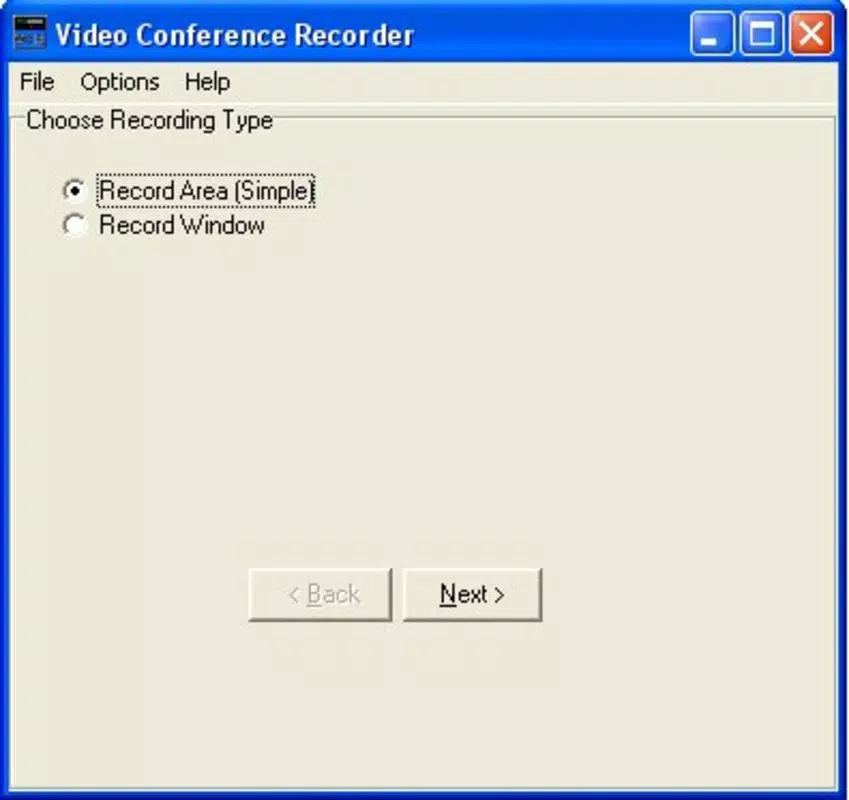
The Conference Recorder features a minimalistic interface focused on core functionality, prioritizing ease of use and accessibility. Navigation is straightforward, with essential controls likely positioned for quick access during active sessions. The workflow is designed to be non-disruptive, allowing users to start and stop recordings with minimal effort while continuing to engage in the video call.
As a lightweight application at 1.2 MB, it is expected to have low system impact. However, the developer did not specify exact resource usage details. Performance observations are based on general software behavior patterns. The software appears to operate efficiently in background mode, minimizing interference with the host conferencing application. Stability is assumed to be consistent given the software’s long-standing availability, though no formal testing data was provided.
Compatibility & System Requirements
The Conference Recorder is compatible with Windows operating systems. The software version is 1.0, and the installation size is 1.2 MB. Specific hardware requirements were not listed, and the developer did not provide additional system requirements. Platform compatibility information is limited to Windows, suggesting it may not support Mac or other operating systems.
Given the release date of 2005, the software may not support newer Windows versions without compatibility mode or updates. Users should verify functionality on their current system. No information was provided about driver dependencies or network configuration needs.
Pros and Cons
Pros
- Free to use with no licensing restrictions
- Real-time recording without platform switching
- Supports widely recognized AVI file format
- Adjustable quality settings for performance optimization
- Lightweight at just 1.2 MB
Cons
- Only available for Windows, no Mac or cross-platform support
- No official updates since 2005, raising compatibility concerns
- File size and performance details were not specified
- Limited user interface documentation or support resources
- Unknown long-term stability on modern systems
FAQ Section
Is The Conference Recorder compatible with modern Windows systems?
The software was released in 2005 and may require compatibility mode or additional configuration to run on current Windows versions. Users are advised to test the application on their system before relying on it for critical recordings.
Can I record video from any video conferencing platform?
Yes, The Conference Recorder is designed to work with any existing video conferencing software. It captures the video stream directly, making it independent of the platform used.
Is the software safe to download and use?
The software is free and available from the developer’s site. As with any legacy application, users should ensure they download from a trusted source and scan the file with antivirus software.
Does The Conference Recorder require an internet connection?
The software itself does not require an active internet connection to function. However, it must be used during an active video conference, which typically requires a stable connection.
Can I edit the recorded videos after capture?
Recorded videos are saved in AVI format, which is widely supported by video editing tools. Users can import and edit the files using standard video editing software.
Final Thoughts
The Conference Recorder remains a functional solution for users seeking to record video conferences on Windows, particularly those who value simplicity and a free tool. While its age raises concerns about compatibility with modern systems, its core features—real-time recording, AVI output, and platform independence—remain relevant. It is best suited for occasional users or those on older systems who need a no-frills recording utility.
For professionals or frequent users relying on up-to-date performance and support, newer alternatives may offer better reliability and features. Nevertheless, for basic, lightweight recording needs, this software delivers a straightforward, cost-effective option.
Download The Conference Recorder now


